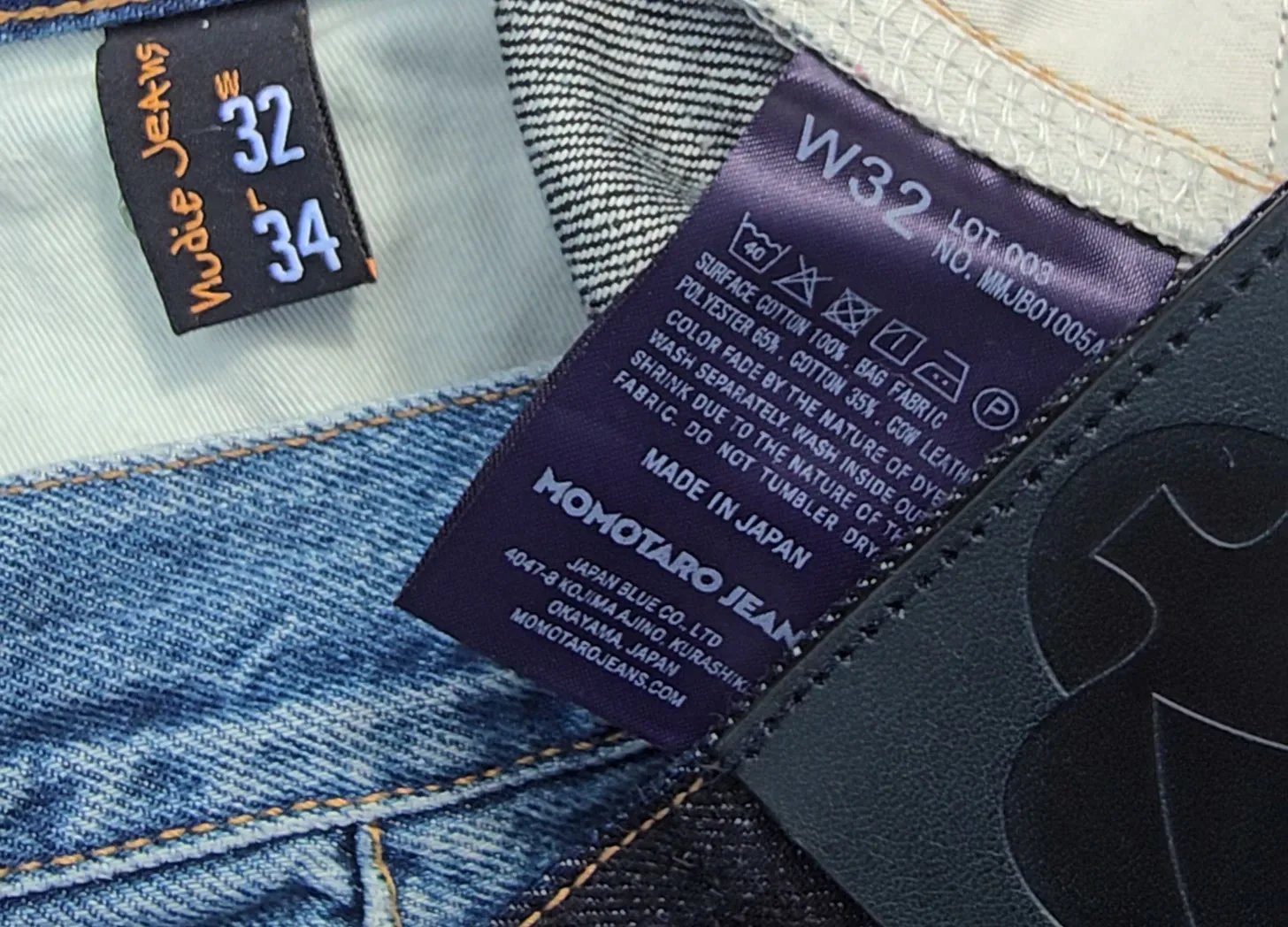
You know your pants size, right? At least, you think you do. You’re a size 32. Then you try on a pair of 32s from another brand, and they’re either falling off your waist or cutting off your circulation.
At some point, you start to wonder if the number on the tag is actually telling you anything useful at all.
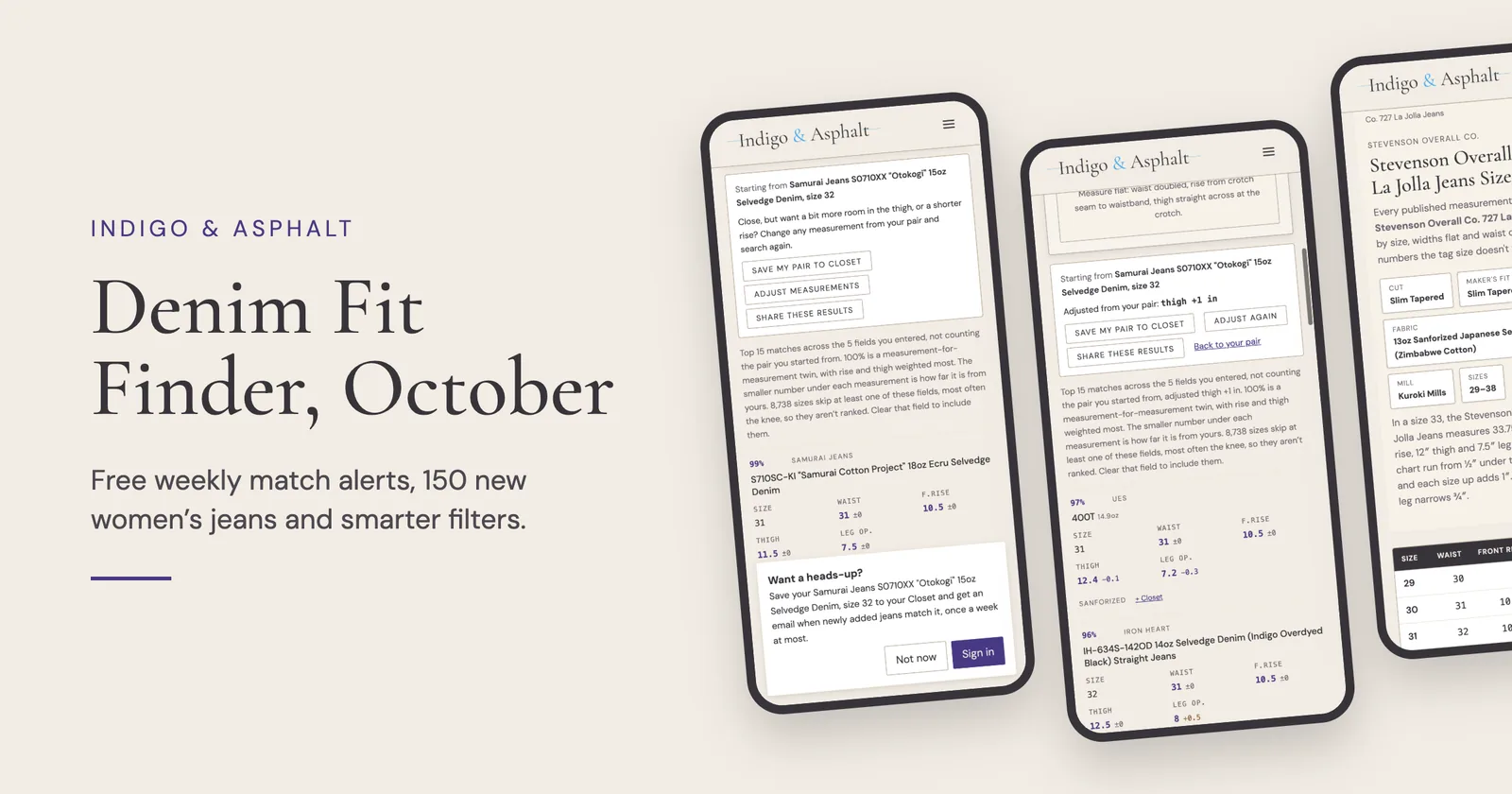
It turns out, there’s a better way to think about it. Instead of asking “What size am I?”, you should be asking “What jeans fit me?” That’s the idea behind the Denim Fit Finder. Start with a pair you already know works, plug in its measurements, and use that as your reference point for finding your next pair.
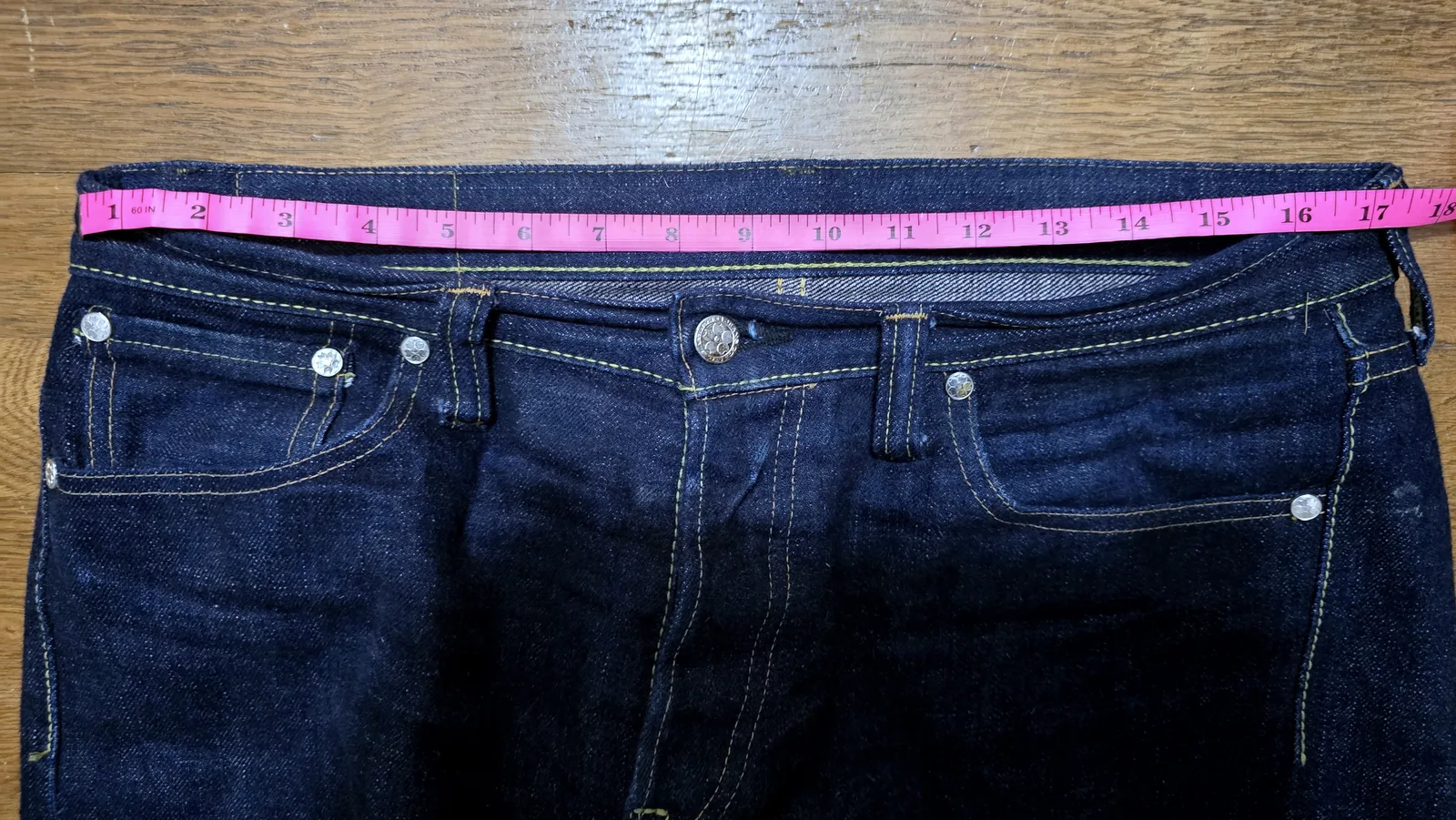
What started as a personal frustration has become the most-used part of my site. I started collecting full measurements (waist, front and back rise, thigh, knee, leg opening) from manufacturers and retailers that actually publish them, because so few give you all the information you need to make an informed decision. I wanted to put two pairs of jeans side by side and see the real difference instead of trusting the number on the tag.
The database now has more than 11,000 size rows across 1,300+ models and 120+ brands. Every row comes from a size chart published by a brand or retailer that hand-measured them.
Today, the Denim Fit Finder moves from the website to your pocket.
The Denim Fit Finder is now on the Play Store, with the same database you’ve been using on the website, plus a few things that make it much more useful when you’re actually shopping for jeans.
Browse: When You Need the Chart Quickly
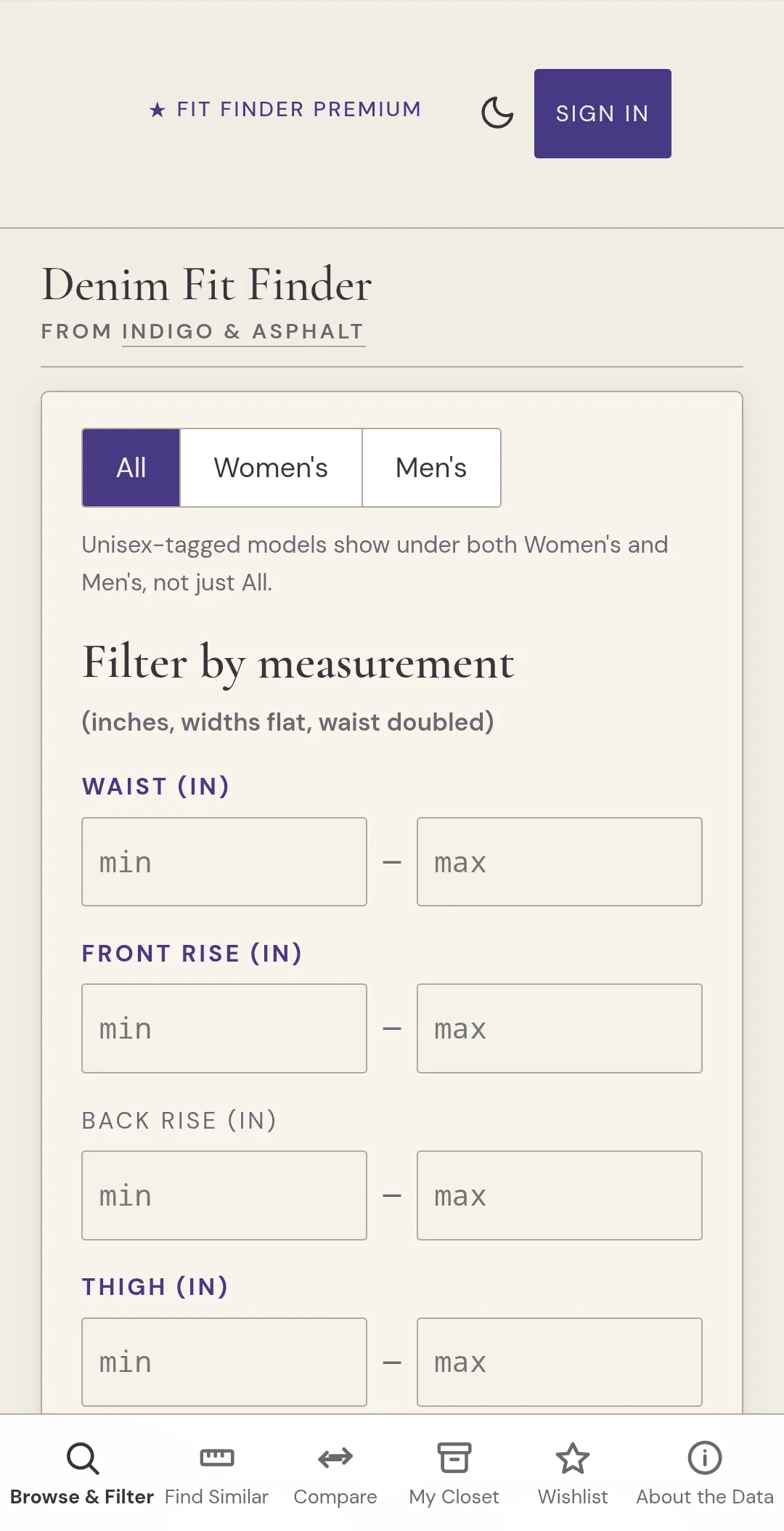
Open the app, and you land on Browse. Pick a brand, pick a model, and you get the full measurement chart: waist, front and back rise, thigh, leg opening, knee, hips, and inseam. You can switch between inches and centimeters.
None of that is new. The useful part is that the database is now on your phone. The app downloads it the first time you open it with a connection, so after that the charts are there when you need them. If you’ve got no cell service in the fitting room, the fit finder will still work.
The filters are optional and stack, so something like “32–33 inch waist, slim, tapered, 12.5+ inch rise” happens all on one screen.
Find Similar: When You Already Own the Right Pair
Say you own a pair of 32s that fit you exactly right, and you want to know whether a completely different brand’s cut will work the same way.
Open the Find Similar tab and enter the measurements from the pair you already own or pull them directly from the database. The app ranks every other model in the database by how closely it matches.
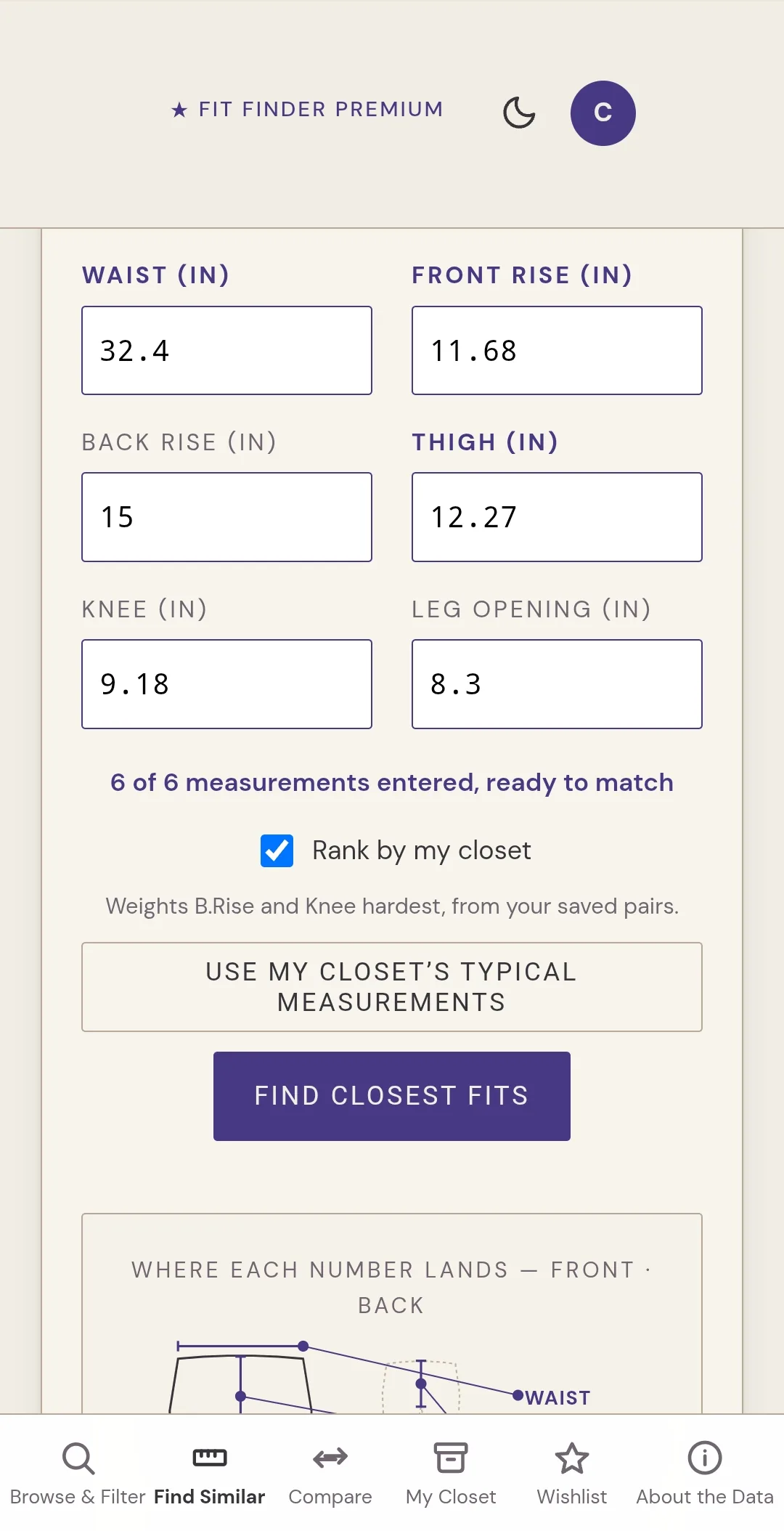
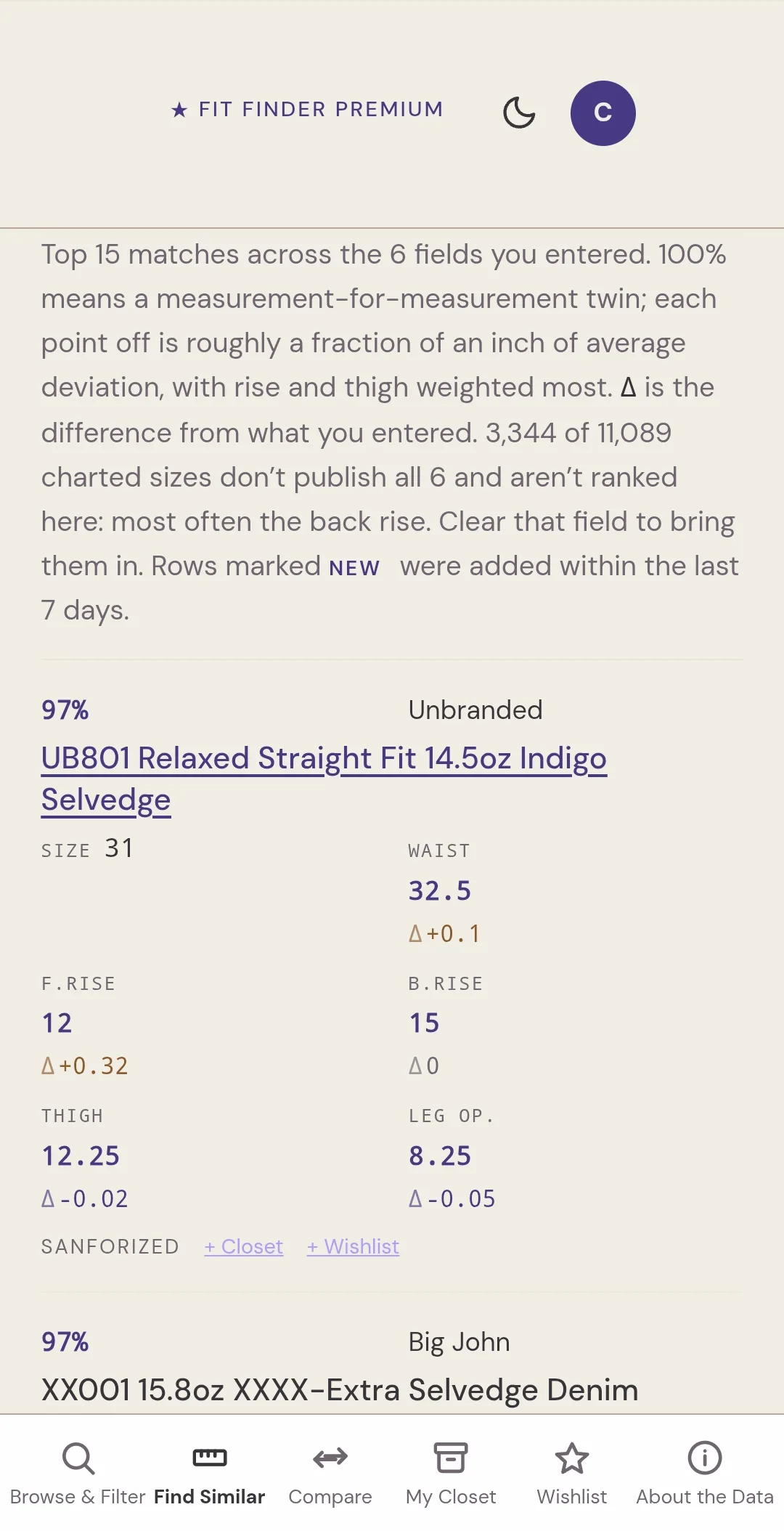
You get an actual number: 94% match. 87% match. The score is weighted toward the measurements that matter most for fit rather than treating every measurement as an equal part of a flat average.
There’s a pretty big difference between thinking a pair looks roughly similar to the jeans you have at home and knowing it’s a 94% match when you’re standing in a store trying to decide whether to buy it.
The results aren’t just numbers. Tap any model to see its full measurement chart, current pricing, and which retailers carry it. That means you can go from “these look like they might fit” to actually checking the measurements and figuring out where to buy them without ever leaving the app.
You don’t need every measurement, either. Enter whatever you know. Waist and rise alone are often enough to get you headed down the right path.
There’s also a measurement diagram showing exactly where each number is taken from on the garment, front and back. Before you type in a rise measurement, you can make sure you’re measuring the same thing the database is measuring.
Compare: When You’re Choosing Between Several Models
Sometimes you don’t need a recommendation. You want to know what’s different.
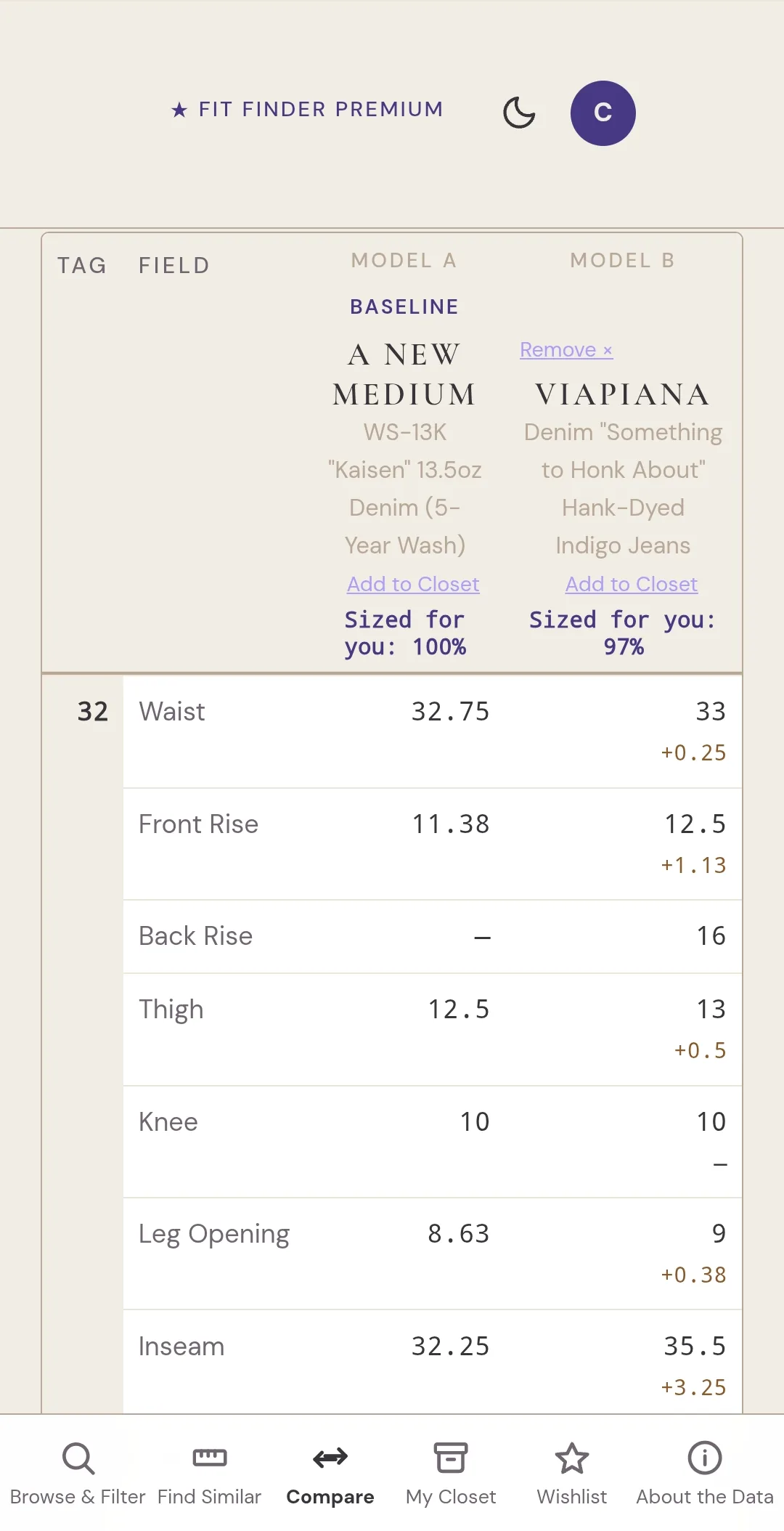
Compare lets you pick up to four models and see them side by side, measurement by measurement, instead of flipping between browser tabs and trying to keep four sets of numbers in your head.
One fit is always the baseline. Every other column shows the difference from that baseline at the same tag size, down to a tenth of an inch. So you can see that a size 32 in one brand has a waist that’s half an inch bigger and a thigh that’s three-quarters of an inch bigger than a size 32 in another.
You can align the comparison by tag size or by measured waist, depending on what makes more sense for the brands you’re looking at.
My Closet: Your Own Jeans Become the Reference Point
My Closet is a place to store the pairs you already own and use as a reference point.
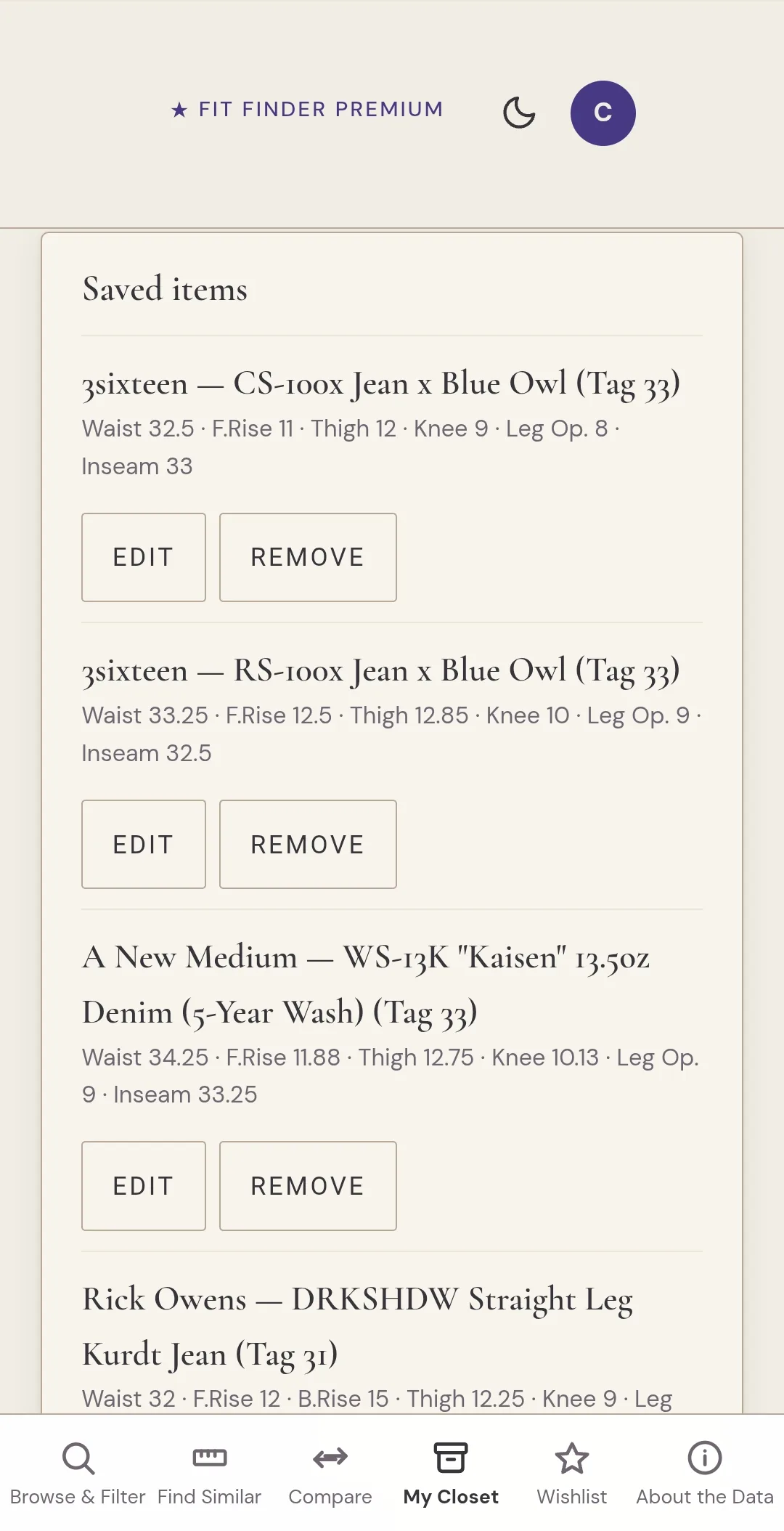
You can add a pair straight from the database. Search for the brand and model, pick your size, and save it. Or, you can add a pair manually with your own measurements if it isn’t in the database yet.
The Closet also serves as a quick reference for your favorite pairs’ measurements and lets you store your body measurements, which are likely slightly different from your favorite jeans. You can also use the pairs in your Closet to start a “find similar” search without looking for your pair or typing in the measurements.
You don’t need an account to use My Closet, either. On the free tier, your Closet stays on the device where you saved it.
Free Helps You Search. Premium Keeps Watching.
Browse, Find Similar, Compare, and My Closet aren’t behind Premium. They have never been paid features and will remain free.
Premium is for the things that keep watching after you’re done searching, and for carrying your own data with you between devices.
Wishlist: When You Want the App To Keep You Informed
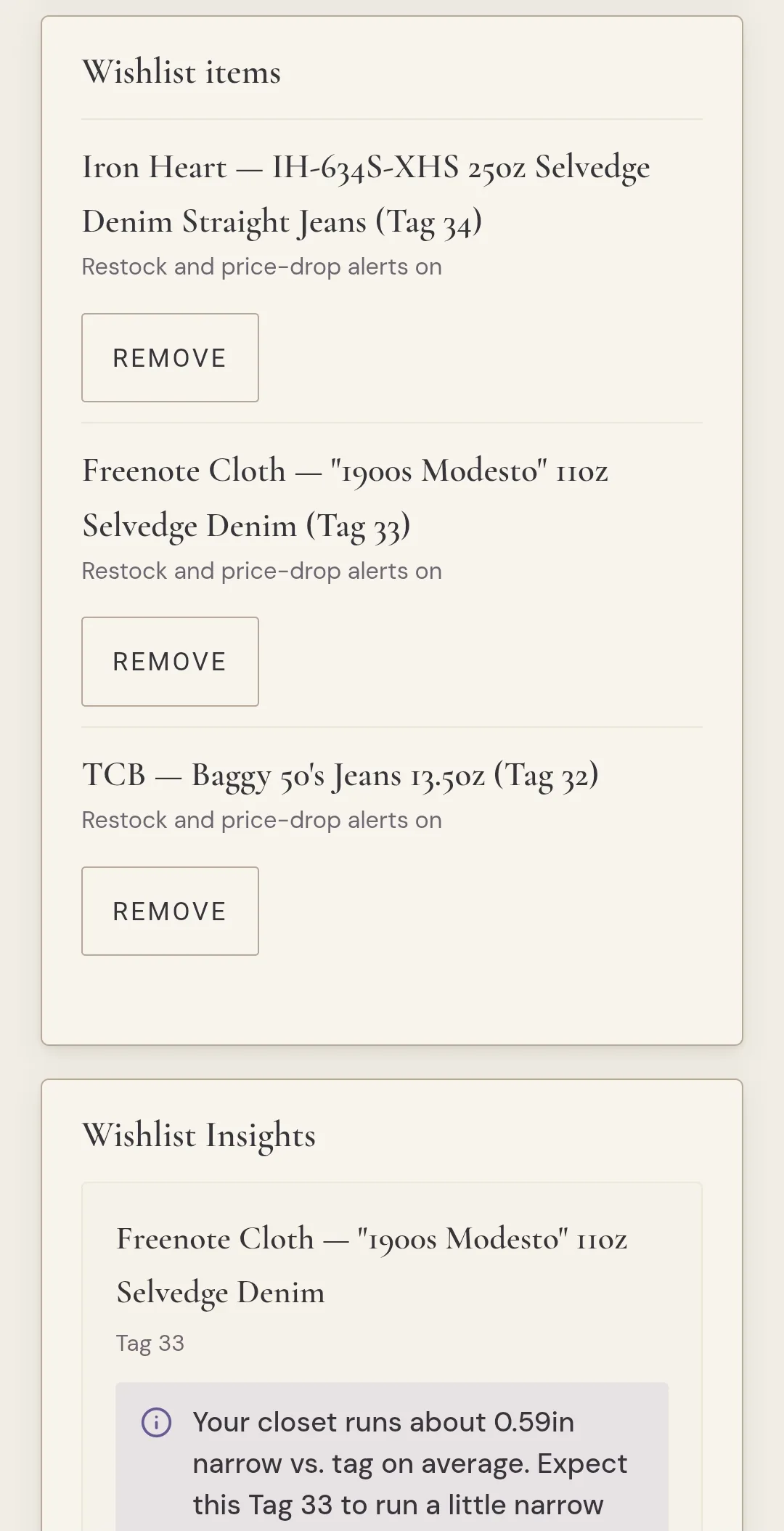
Wishlist is for jeans you don’t own but want to keep on your radar.
It’s deliberately a separate tab from My Closet. Your Closet is your record of jeans you actually own, and Wishlist is for the pairs you’re considering. Keeping them separate means a pair you’re curious about doesn’t skew the data about the jeans you already know fit.
Save any brand, model, and size you’re keeping an eye on. It doesn’t have to be your size, and it doesn’t even have to be for you.
For each item, the app gives you a predicted fit based on the jeans in your Closet: whether it’s likely to run small, large, or true to size for you.
So you can get a read on the fit before you order, rather than finding out after the box arrives.
Because these are things you’re actively watching, Wishlist can keep an eye on them for you too and inform you about price drops, restocks in your saved size, and other changes that are easy to miss when you’re checking a dozen retailer sites yourself.
Wishlist is a Premium feature, as are the alerts that come with it.
Price-drop and Restock Alerts
Your Wishlist feeds these.
A daily crawl checks roughly 19 retailers, watching the size you saved, not just the model. So if a pair comes back in stock but it’s not your size, you don’t get an alert you can’t use.
When something on your Wishlist goes on sale or comes back in stock in your saved size, you’ll hear about it.
Fit-match Alerts
New models are added to the database regularly.
Fit-match alerts watch for new models that score 85% or better against a pair already saved in your Closet. The score is based on fit, so you can discover something from a company you’ve never bought before simply because the measurements line up with something you already know works.
New From Brands You Own
This one is simple. If a new model appears from a brand already represented in your Closet, you can get notified.
It’s based on the label rather than the fit, and it’s off until you turn it on in your account settings.
Closet Insights
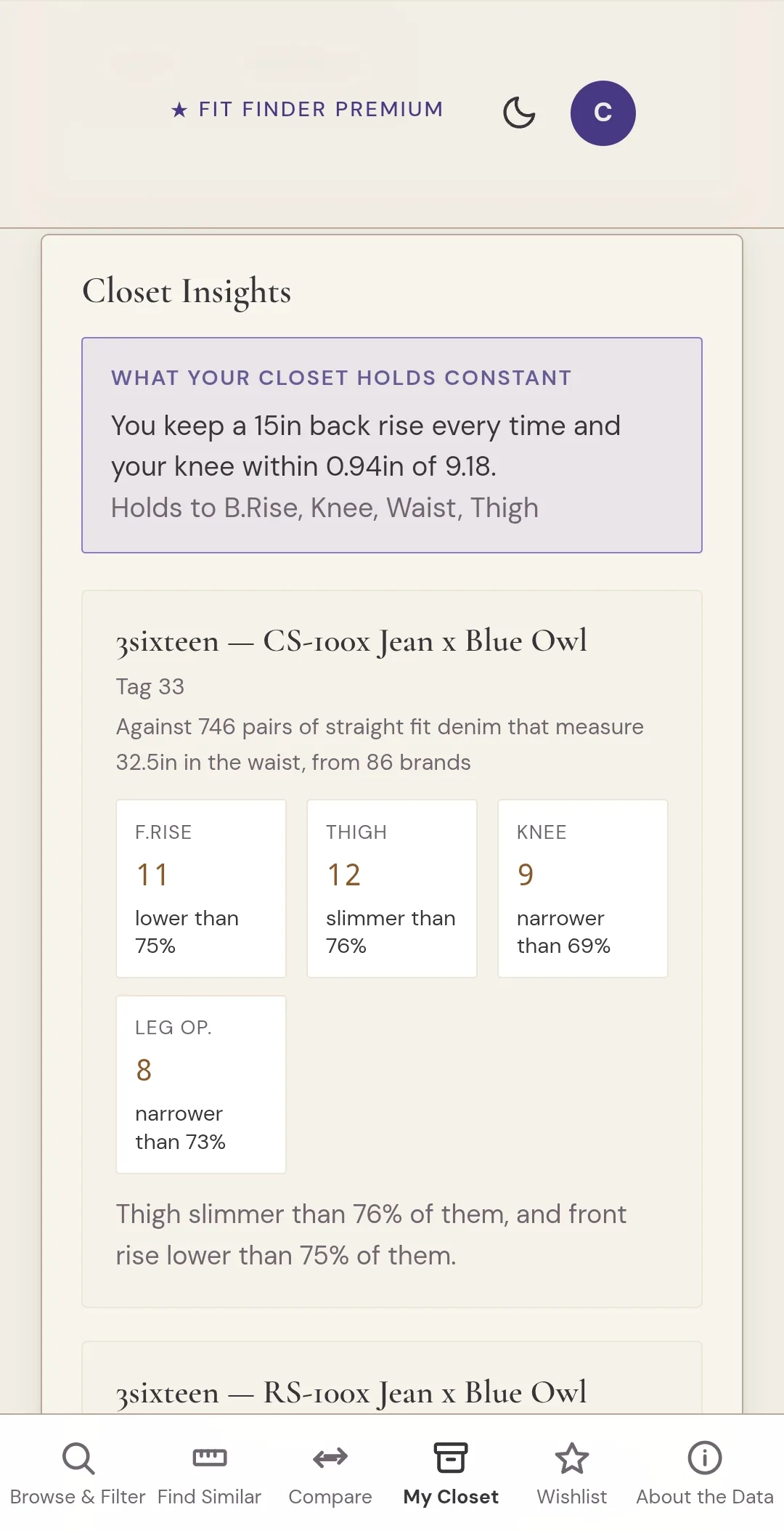
As you add pairs, the app starts building a picture of your actual fit. Closet Insights looks across the pairs you’ve saved and the full database to show you the measurements you consistently come back to, how your jeans compare with other models of the same cut and waist measurement, and what other fits might be worth looking at.
You don’t need a huge collection for it to be useful. One pair is enough for Closet Insights to start telling you something. A few pairs give it more to work with.
Your Closet on Every Device
Save a pair on your laptop tonight, and it can be waiting for you in the app tomorrow when you’re standing in a store.
A free Closet stays on the device where you saved it. Premium lets you carry that Closet between devices, along with Wishlist.
Pricing and Subscribing
Premium is $5.99/month or $35 for the first year, then $49/year on renewal. Cancel anytime. You can create your account and sign in right in the app. Paying is the one step that happens on the website, billed through Stripe, and once you’ve subscribed, the app picks up your Premium status on its own.
Sign in Once, and the Closet Follows You.
You can sign in with email or Google.
An account makes cross-device syncing possible. Your Closet and Wishlist follow the same account, so you can use the website on your laptop, open the app on your phone, and pick up where you left off.
Where to Find It
The Denim Fit Finder is now on the Play Store. I hope to release it on the iOS App Store in the next few months.
If you’ve used the website, the app should feel familiar: the same fit database, now in your pocket when you’re in a store, in a fitting room, or trying to decide what size to order.
If Fit Finder is new to you, start with a pair you already own. Log the measurements, see what they tell you, and use that pair to find what might fit next.
Oh, and by the way, Substack paid subscribers will automatically receive a premium subscription to the Denim Fit Finder app.
Because the question was never “What size am I?”
It’s: “What fits me?”