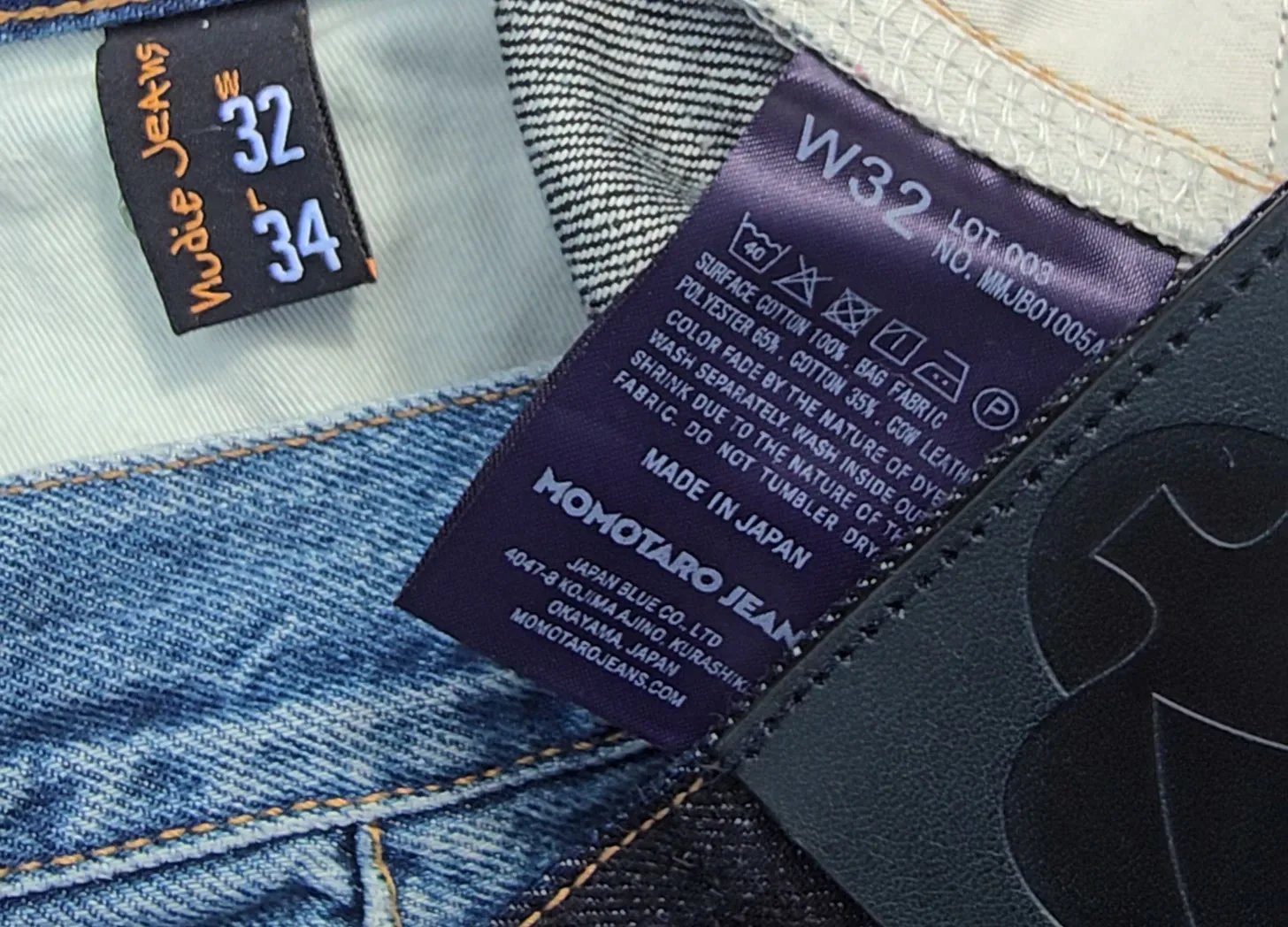
You know your pants size, right? At least, you think you do. You’re a size 32. Then you try on a pair of 32s from another brand, and they’re either falling off your waist or cutting off your circulation.
At some point, you start to wonder if the number on the tag is actually telling you anything useful at all.
It turns out, there’s a better way to think about it. Instead of asking “What size am I?”, you should be asking “What jeans fit me?” That’s the idea behind the Denim Fit Finder. Start with a pair you already know works, plug in its measurements, and use that as your reference point for finding your next pair.
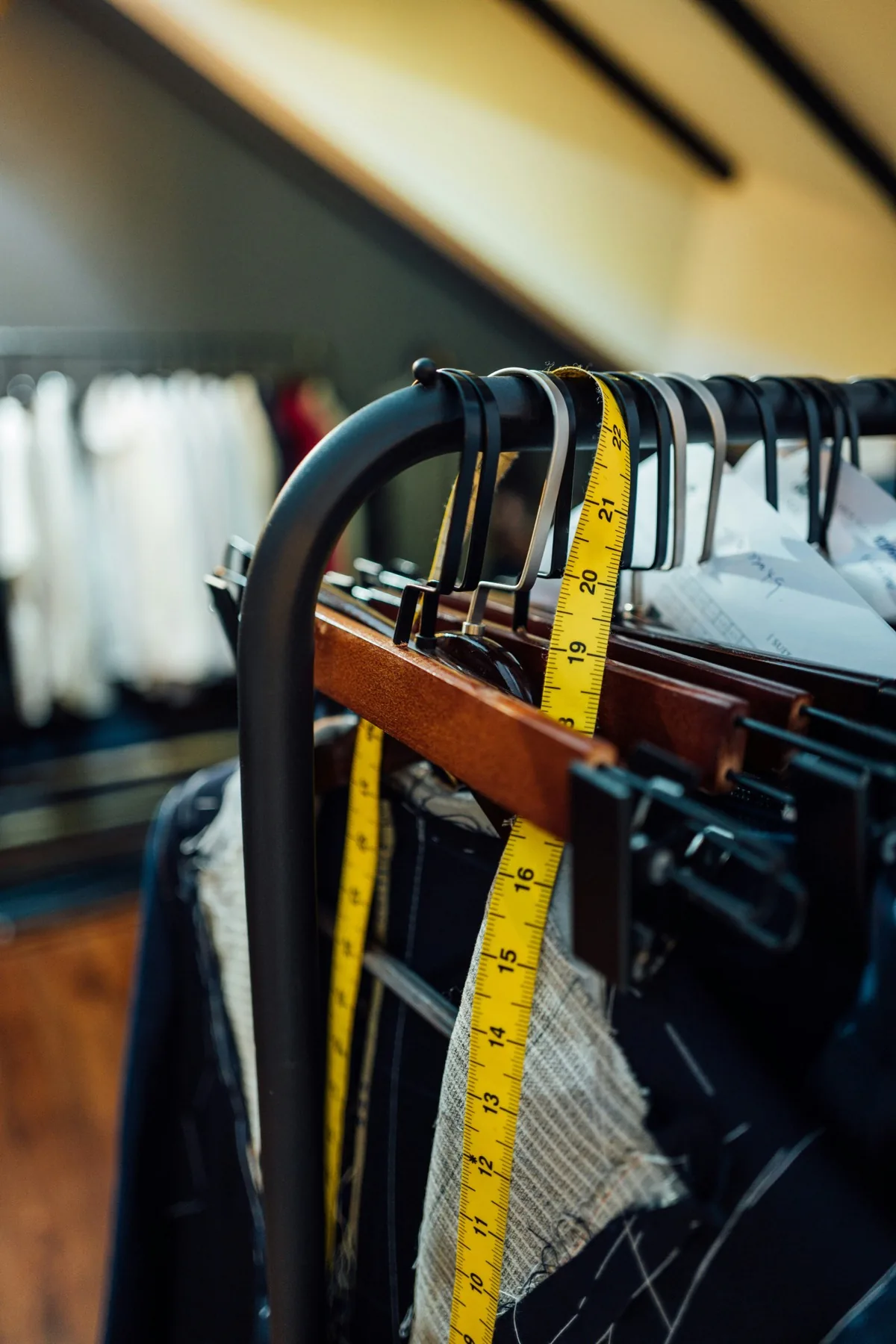
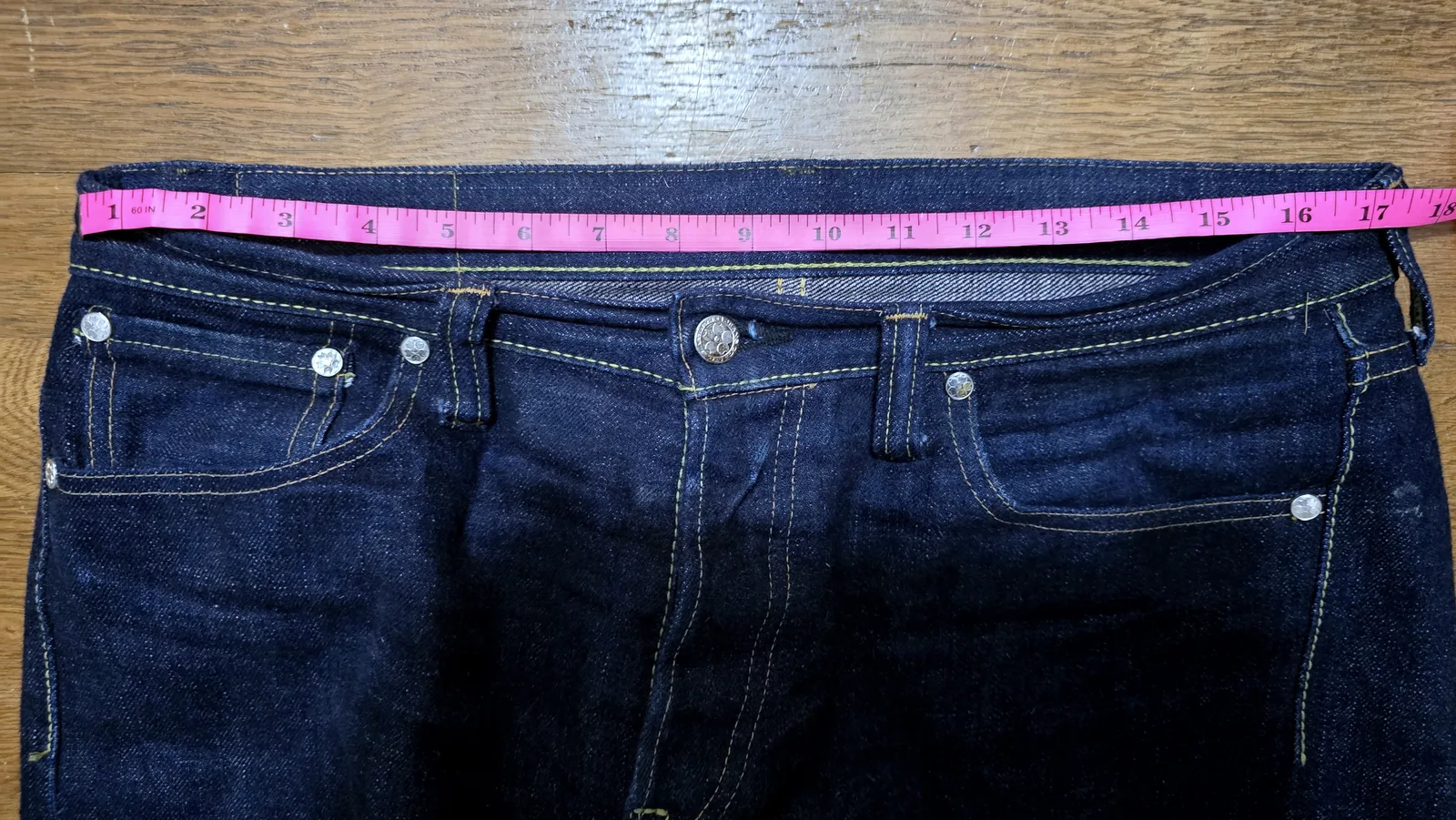
What started as a personal frustration has become the most-used part of my site. I started collecting full measurements (waist, front and back rise, thigh, knee, leg opening) from manufacturers and retailers that actually publish them, because so few give you all the information you need to make an informed decision. I wanted to put two pairs of jeans side by side and see the real difference instead of trusting the number on the tag.
The database now has more than 30,000 sizes across 3,800+ models and 170+ brands. Every row comes from a size chart published by a brand or retailer that hand-measured them.
When the Android app launched in September, the most common comment I got was “iOS when.” Today, the wait is over. The Denim Fit Finder app is now available for iPhone in the App Store, with the same database you’ve been using on the website, plus a few things that make it much more useful when you’re actually shopping for jeans.
Find Similar: Starting With a Pair You Already Own
Say you own a pair of 32s that fit you great and you want to know whether a completely different brand’s cut will fit the same way.
Enter the measurements from the pair you already own or pull them directly from the database. The app ranks every other model in the database by how closely its measurements match your chosen pair.
If your favorite pair isn’t in the database, you can input the measurements and save it to your closet. You don’t need every measurement to get helpful results — start with just the waist and one additional measurement. Each additional measurement you add increases the accuracy of the fit recommendation.
If your pair is close but not perfect, adjust it instead of retyping it. Start from the pair in the database, change one measurement (a little more room in the thigh, a quarter inch less rise), and search again.
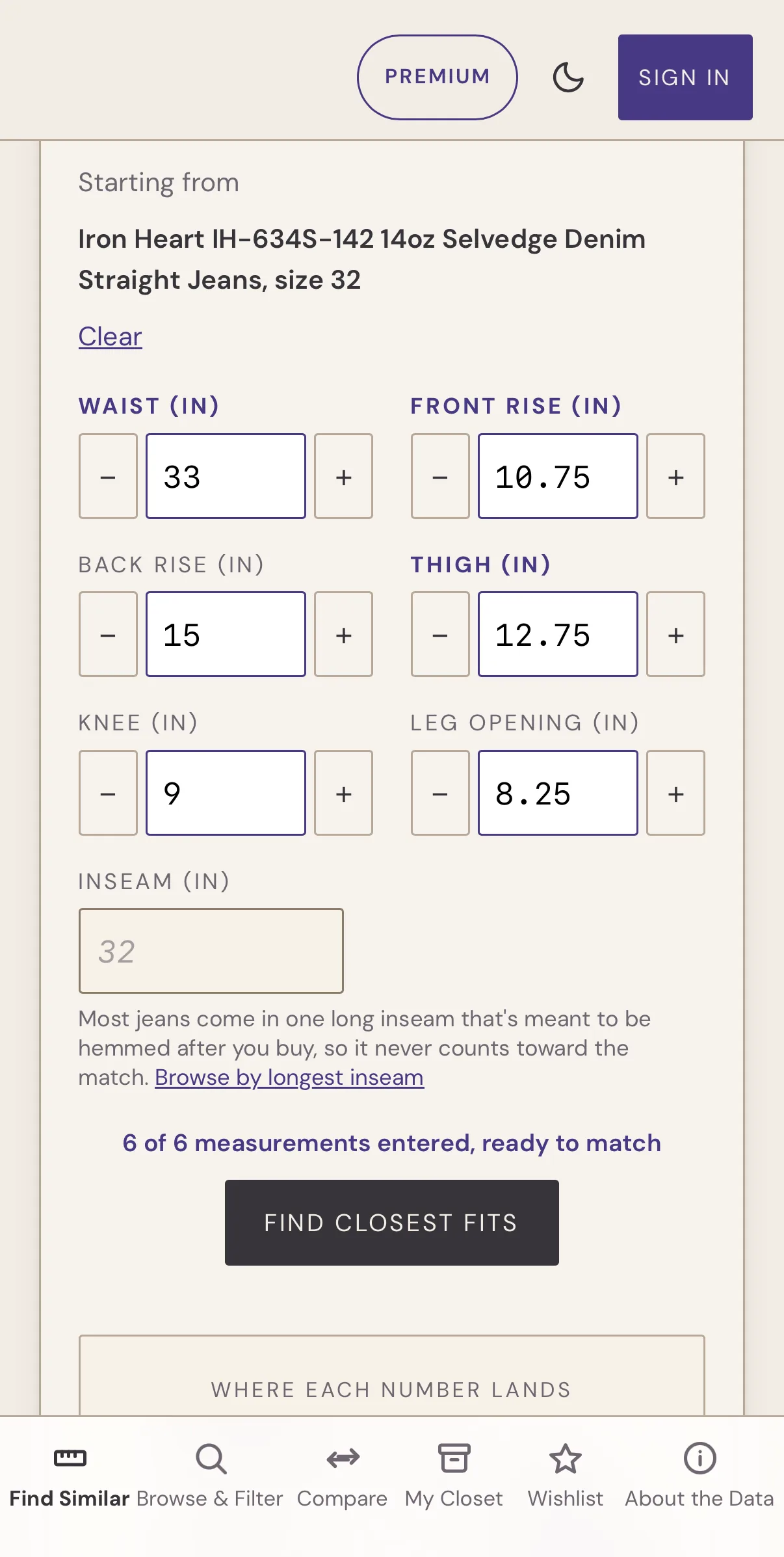
The search results give you a number. 94% match. 87% match. The score is weighted toward the measurements that matter most for fit — rise and thigh — rather than treating every measurement equally.
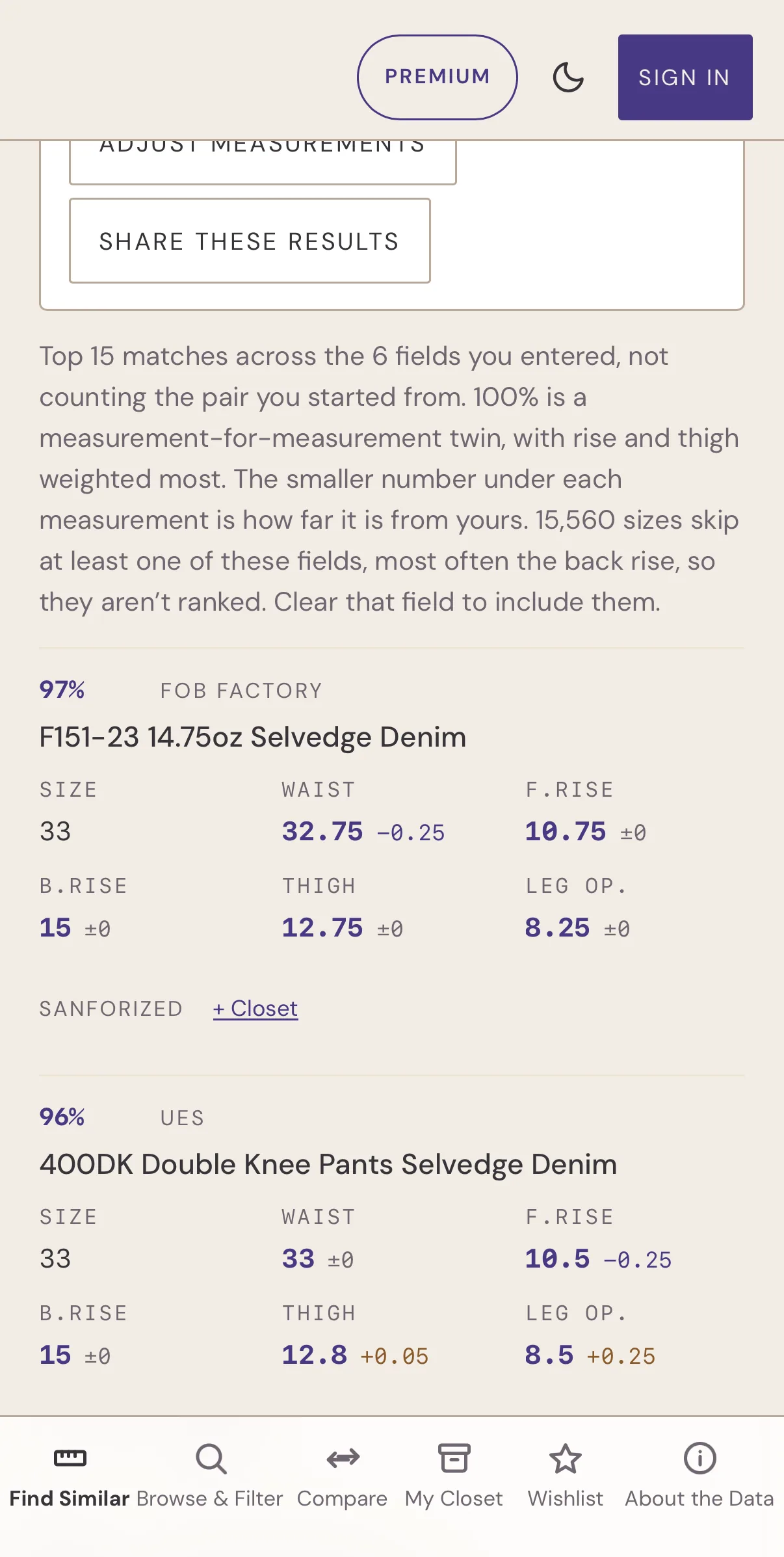
The results are more than just the numbers. Tap any model to see its full measurement chart, current pricing in each store’s own currency, and which retailers carry it. That means you can find what actually fits and figure out where to buy them without ever leaving the app. If you want a second opinion, Share sends your results to a friend as a link, and they see the same list you do.
Browse: When You Aren’t Sure Where to Start
Pick a brand, pick a model, and you get the full measurement chart: waist, front and back rise, thigh, leg opening, knee, hips, and inseam. You can switch between inches and centimeters.
The app downloads it the first time you open it with a connection, so after that the charts are there when you need them. If you’ve got no cell service in the fitting room, the fit finder will still work.
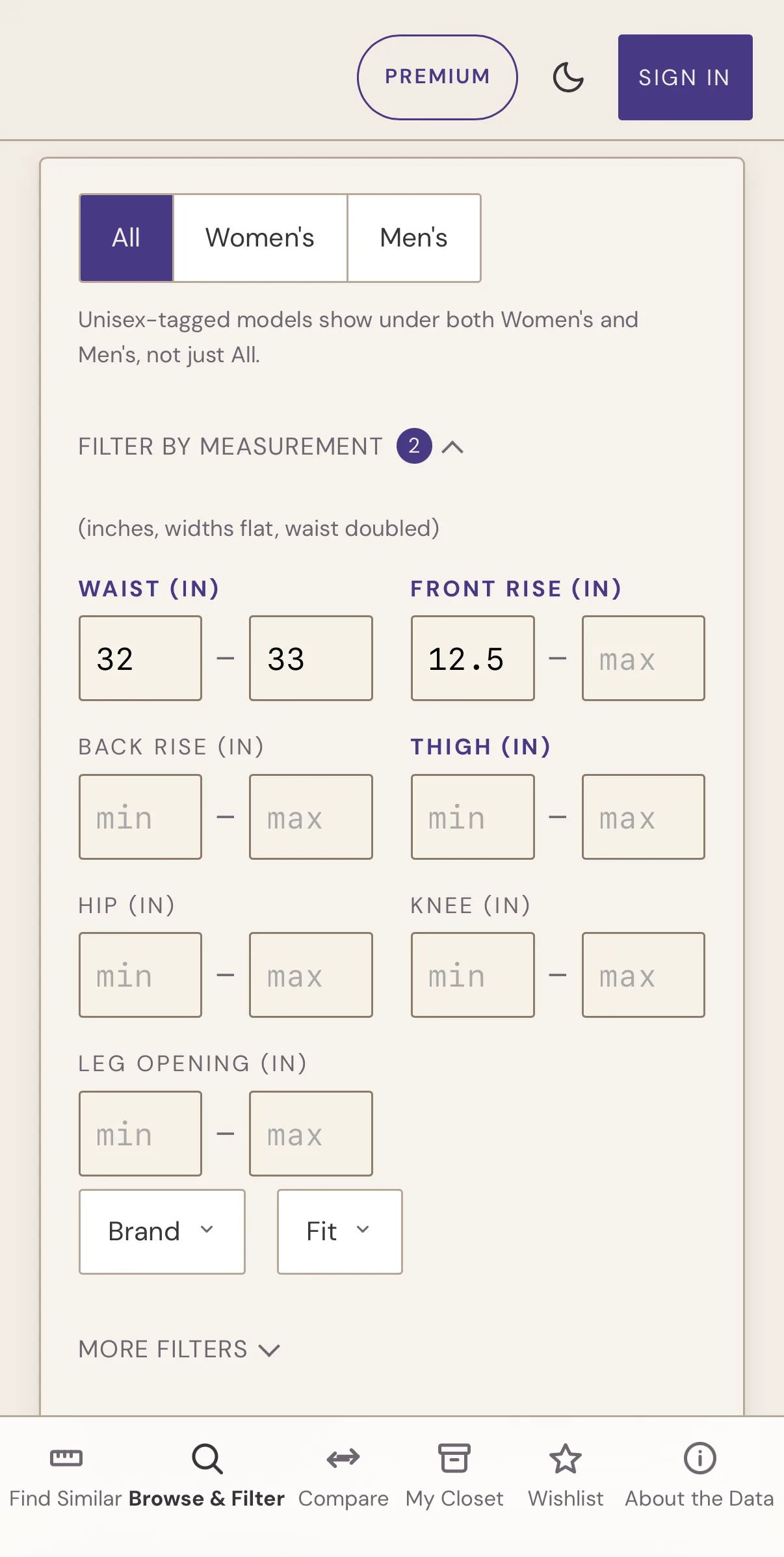
The filters are optional and stack, so something like “32–33 inch waist, slim, tapered, 12.5+ inch rise” happens all on one screen. You can filter by denim weight too, and switch between All, Women’s, and Men’s at the top.
Every brand also has its own page, with a short description and its models grouped by cut. Any model page opens straight into Find Similar.
Compare: When You’re Choosing Between Several Models
Sometimes you don’t need a recommendation. Sometimes you just want to know what’s different between models you like.
Compare lets you pick up to four models and see them side by side, measurement by measurement, instead of flipping between browser tabs and trying to keep four sets of numbers in your head.
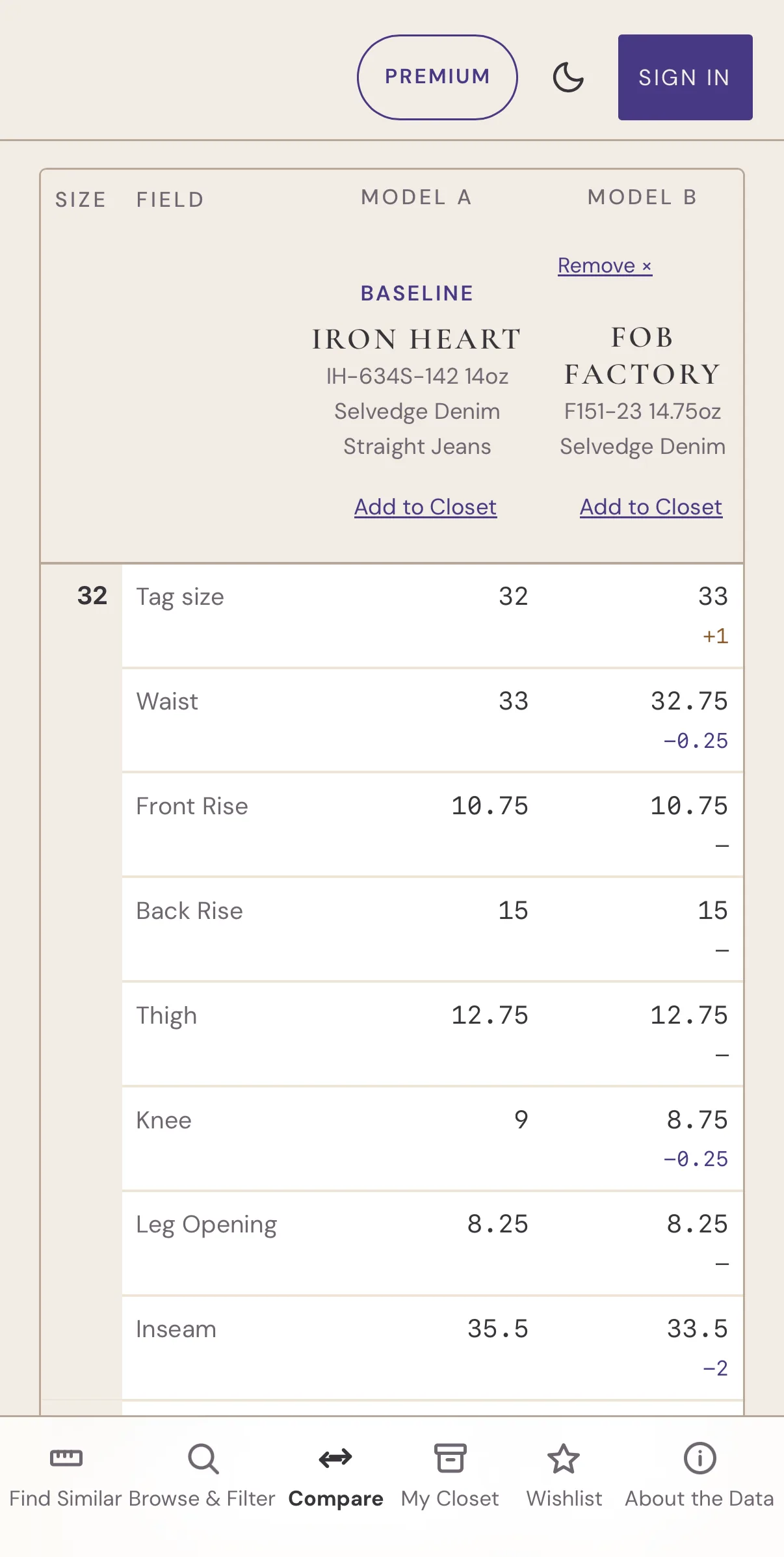
The Compare feature lines up each model at the size whose measured waist is closest to your baseline pair, regardless of what the tag says. You can switch it to line up by tag size instead.
My Closet: Your Own Jeans Become the Reference Point
My Closet is where you store the pairs you already own and use as a reference point.
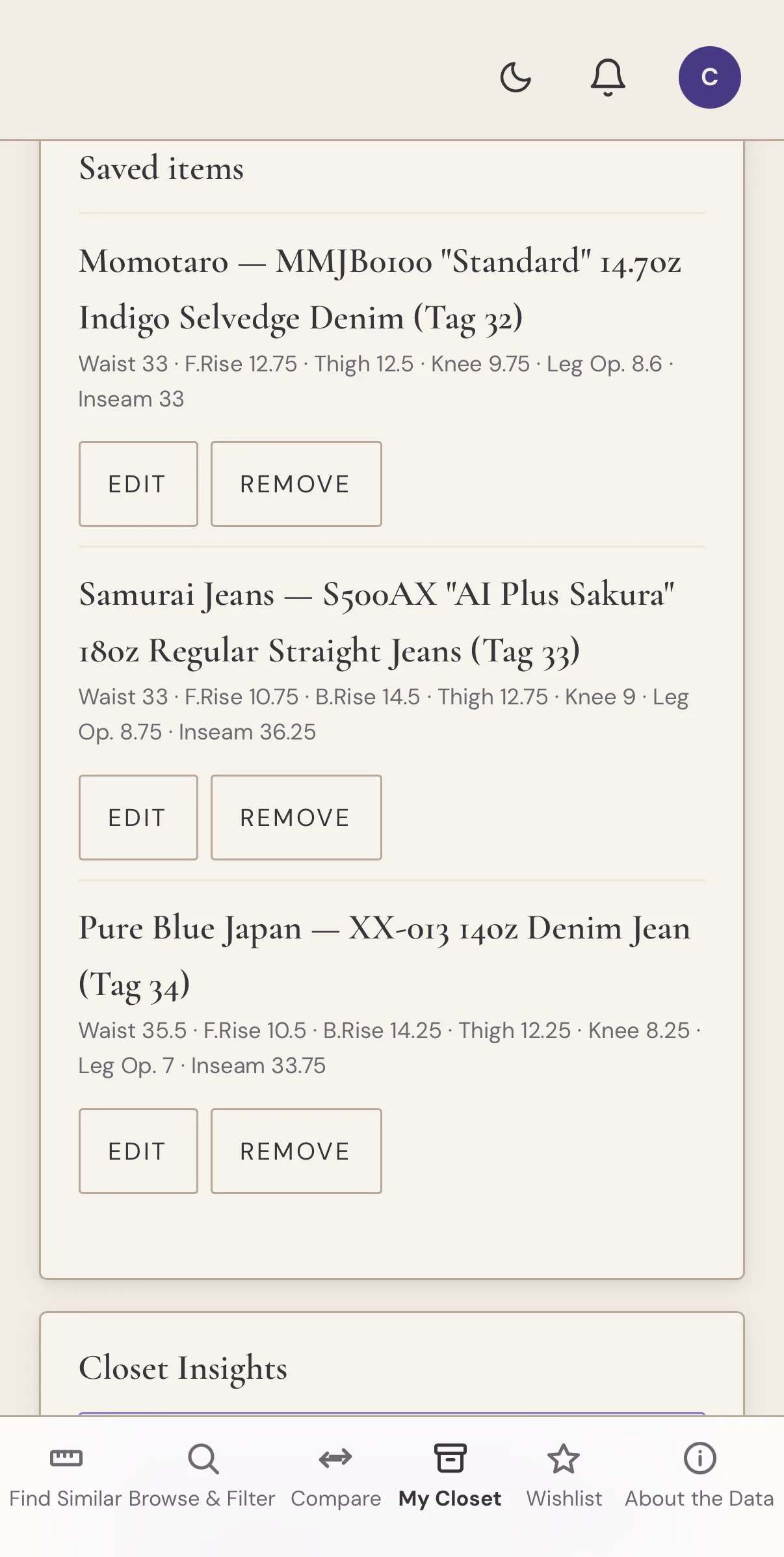
You can add a pair straight from the database. Search for the brand and model, pick your size, and save it. Or, if it isn’t in the database yet, you can add a pair manually with your own measurements.
The Closet also serves as a quick reference for your favorite pairs’ measurements and lets you store your body measurements, which are likely slightly different from your favorite jeans. You can also use the pairs in your Closet to start a “find similar” search without looking for your pair or typing in the measurements.
You don’t need an account to use My Closet, either. Without one, your Closet stays on the device where you saved it. Sign in with a free account, and it’s saved to your account too.
How to Get Started
- Open the app and tap Find Similar.
- Pick the pair that fits you best from the database, or enter its measurements.
- Read the results. Tap any model to see its full chart and the stores that carry it.
- Save your pair to My Closet. Later searches and Compare start from it, and weekly alerts flag what to watch for.
If you want to measure a pair at home, lay it flat and measure the garment. The app compares jeans to jeans.
Sign in with a free account, and you also get weekly updates: a roundup of new models that match a pair in your Closet, in the app or by email, plus occasional news about the Fit Finder. You can switch either one on or off in your account settings.
Every alert also lands in the notification center under the bell in the header, so an alert you swiped away isn’t gone forever.
What’s Included With Premium
Premium is an auto-renewing subscription, $5.99 a month, or $34.99 for your first year and $49.99 a year after that, billed to your Apple Account. You can manage or cancel it in your iPhone’s Settings. What’s included:
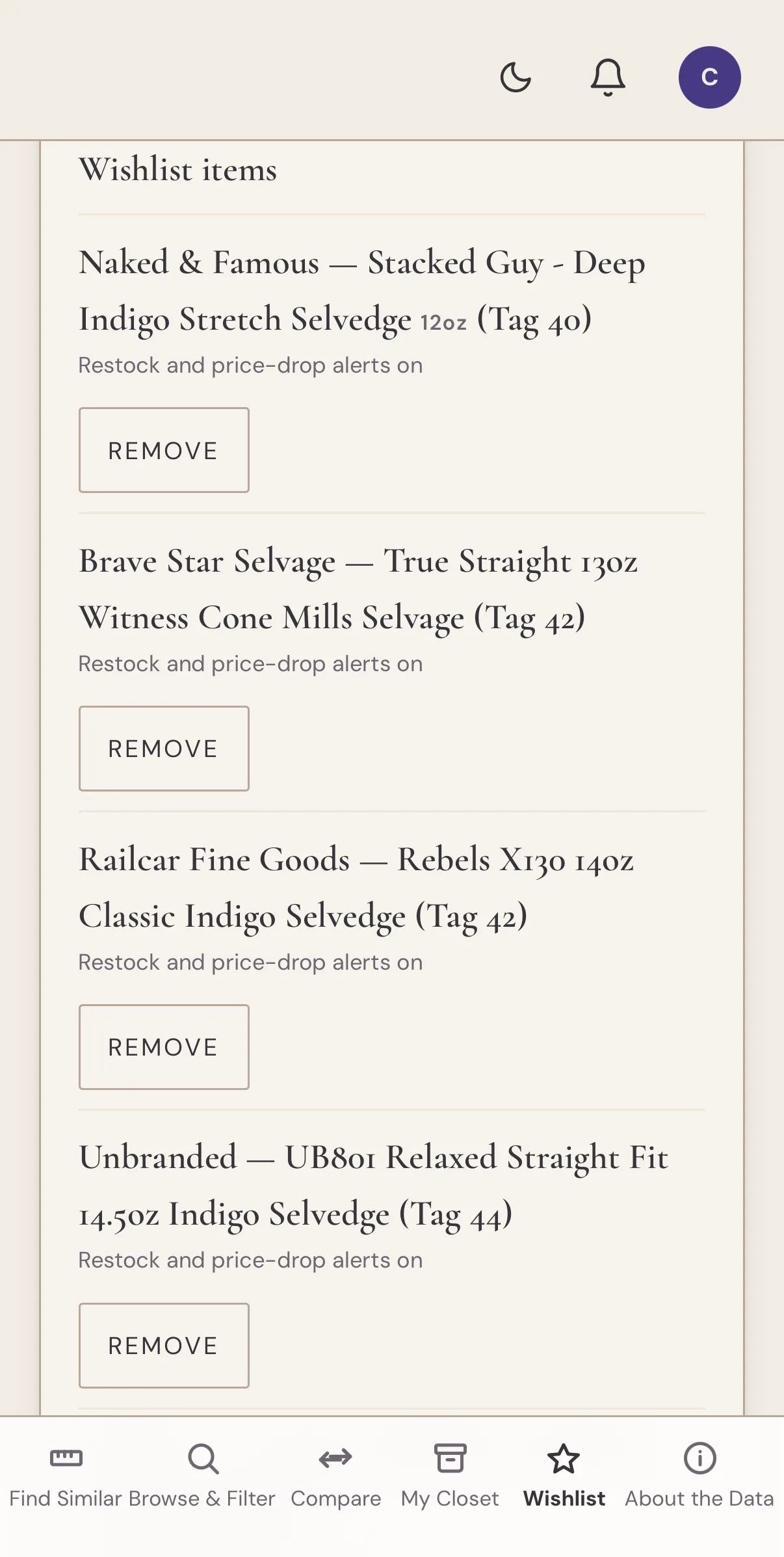
- Wishlist. Save any brand, model, and size you’re watching, even one that isn’t your size. Each item gets a predicted fit based on your Closet: whether it’s likely to run small, large, or true to size for you.
- Daily price-drop and restock alerts that follow your saved size. A daily check of 20+ stores watches the exact size you saved, so a restock in someone else’s size stays quiet.
- Daily fit-match alerts when a new database addition scores 85% or better against a pair in your closet. Free accounts get these in the weekly update.
- New from brands you own for anything new from a brand already in your Closet. It’s based on the label rather than the fit, and it’s off until you switch it on in your account settings.
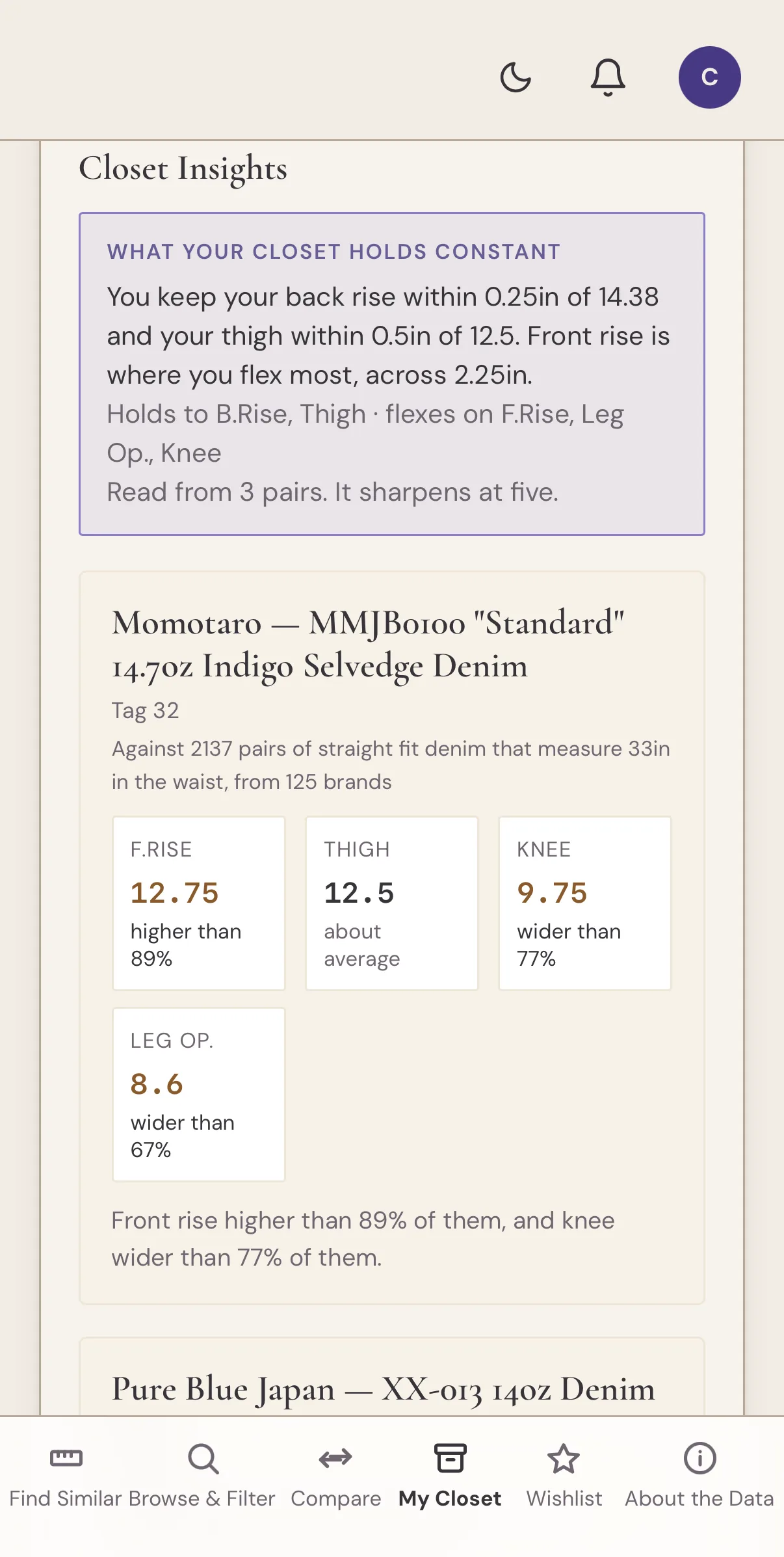
- Closet Insights, which compares every pair you save across the full catalog for that cut. It shows the measurements your pairs keep the same, how each one compares with jeans of the same cut and waist, and what to look at next. One pair is enough to start.
- Sync across devices. Your Closet and Wishlist follow your account to every device you sign in on.
Sign in Once, and the Closet Follows You.
You can sign in with email, Google, or Apple.
You don’t need an account to use the app, but you do need one to enable cross-device syncing. Your Closet and Wishlist follow the same account, so you can use the website on your laptop, open the app on your phone, and pick up where you left off.
Where to Find It
The Denim Fit Finder is now on the App Store for iPhone, and on the Play Store for Android.
Thank you to everyone who asked for this. If a brand you wear isn’t in there, email me and tell me which one. A lot of the catalog started that way. If something breaks on your phone, tell me the model and iOS version, and I’ll chase it. If the app is useful, I’d appreciate an App Store rating to help other people find it.
Oh, and by the way, Substack annual subscribers will automatically receive a premium annual subscription to the Denim Fit Finder app.
Because the question was never “What size am I?”
It’s: “What fits me?”